NVidia Shield Pro
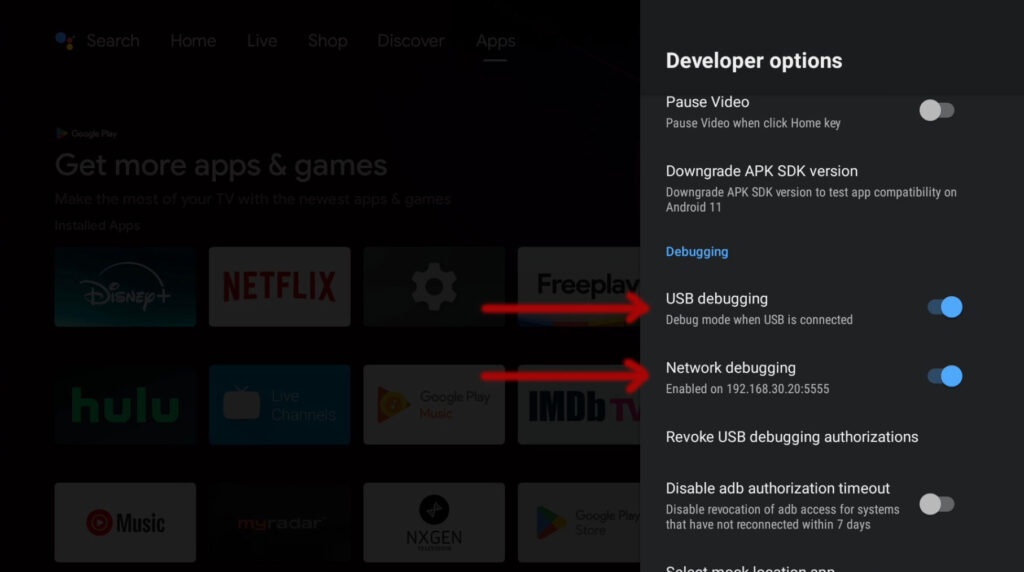
“Developer Options”
- NVIDIA Shield Pro
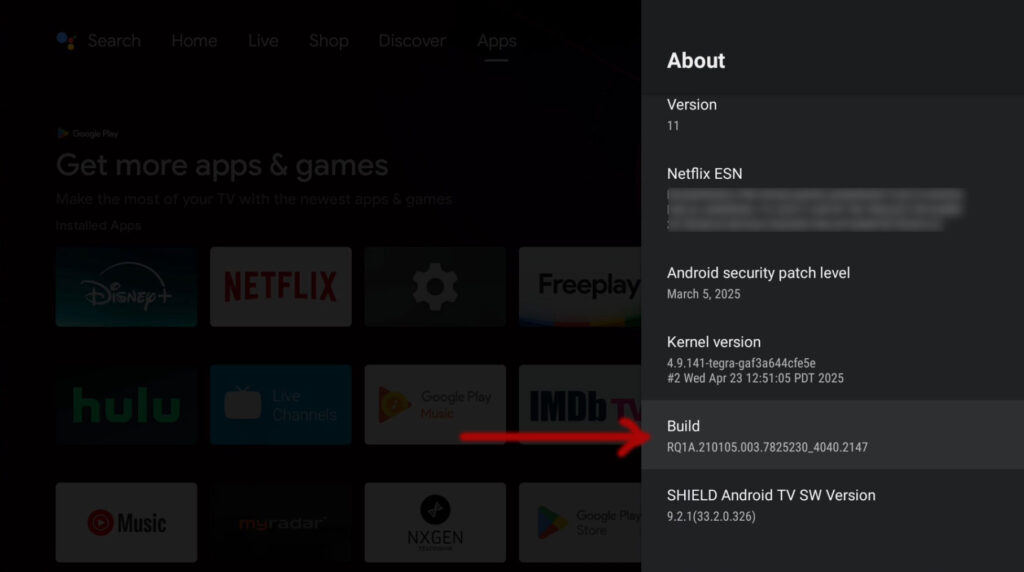
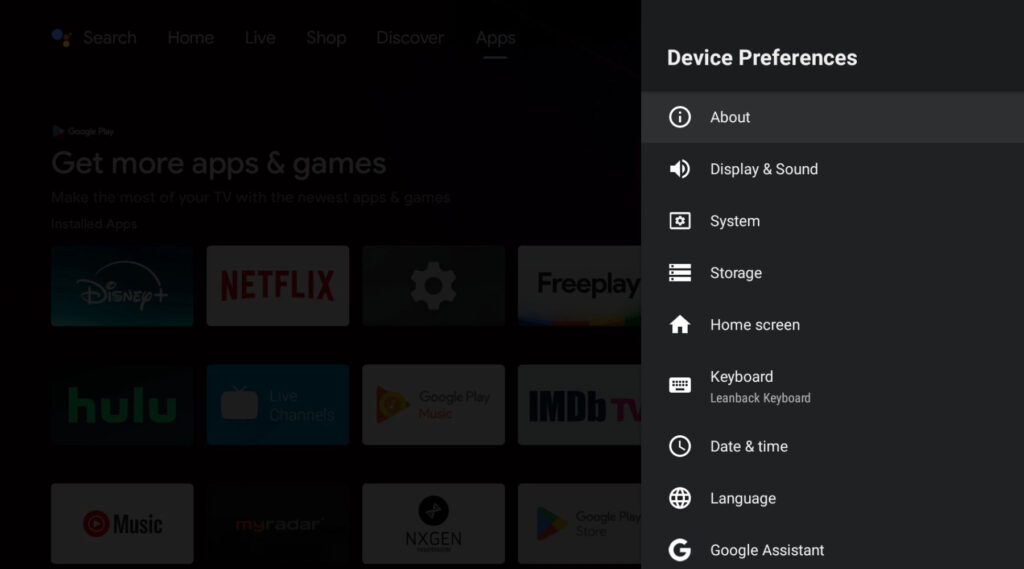
- Navigate to Settings > Device Preferences > About > Build number
- Tap/Click on it repeatedly (around 7 times) until you see a message confirming that developer options have been unlocked
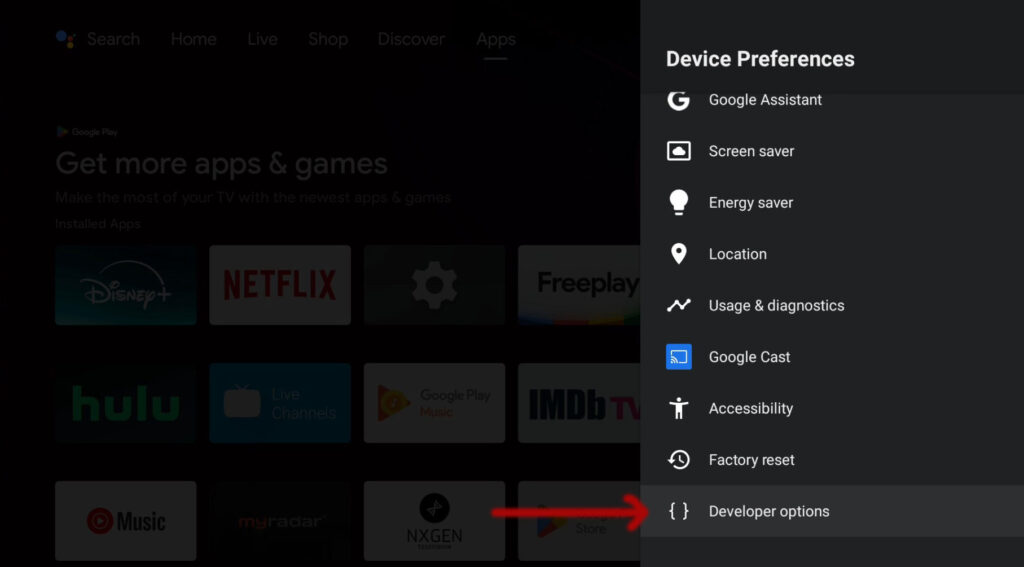
- Then, go back to Settings > Device Preferences and you will find the new Developer options menu
- Scroll Down, then click on “Developer options“
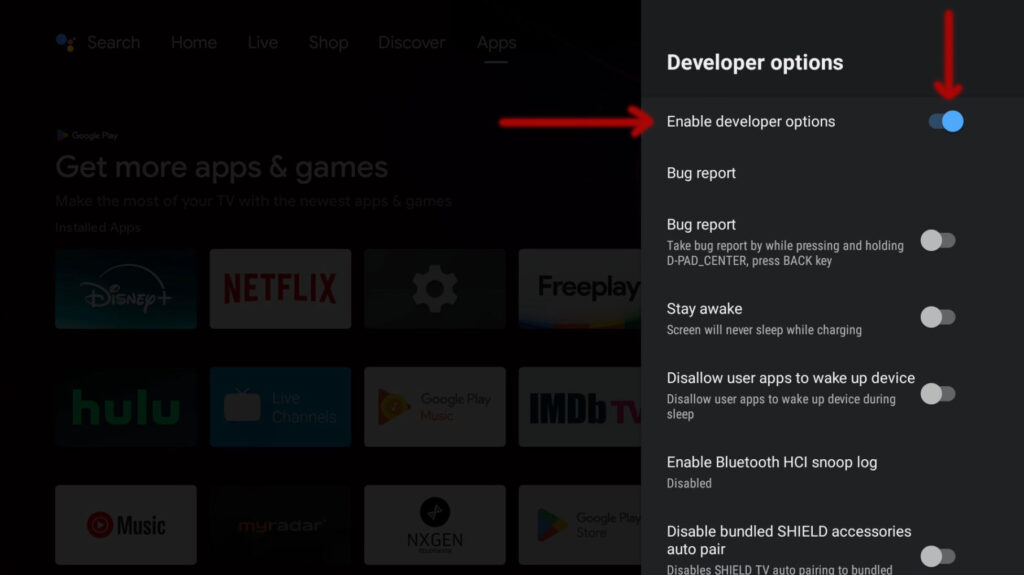
- “Enable developer options” should be enable already
- If not then enable it and verify it is turned on / blue
- Next make sure the following are turned on / blue
- “USB debugging“
- “Network debugging“
- Done…
- Click “Home” button